New Technical Assistance Ticket Details
The following fields appear on the New Ticket page.
|
■
|
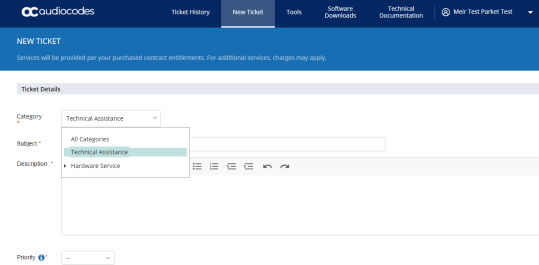
Category: From the drop-down list, select Technical Assistance. |
|
■
|
Subject: Enter a short description of the reported issue. |
|
■
|
Description: Use this field to accurately describe the problem summary. Provide Call Flows, other devices, and all relevant information to help the assigned engineer understandthe issue and assist with resolving the issue. |
|
■
|
Priority: Choose from the following priorities. |
|
❖
|
Service is unavailable or severely degraded |
|
❖
|
Ability to administer the product is lost |
|
❖
|
Calls are processing but there is an issue with a specific feature or function |
|
❖
|
Ability to administer the product is affected |
|
❖
|
Service and/or performance is unaffected. |
|
❖
|
General question, information, documentation, or firmware request |